Mooiste POS
A full remake of Mooiste as a cafe point-of-sale: counter orders, kitchen queue, stock, cash closing, reports, and ordering by table QR.
- Role
- Full-stack developer
- Year
- 2026
- Stack
- Next.js
- TypeScript
- NestJS
- Prisma
- Supabase
- Tailwind CSS
- 01Covers a full shift: order, queue, stock, cash close
- 02Two roles in one app, cashier and owner
- 03Guests order from their own phone by table QR
Why rebuild it
Mooiste started as my final-year project, a web ordering system for a cafe in Batam. It stopped at ordering.
Taking an order
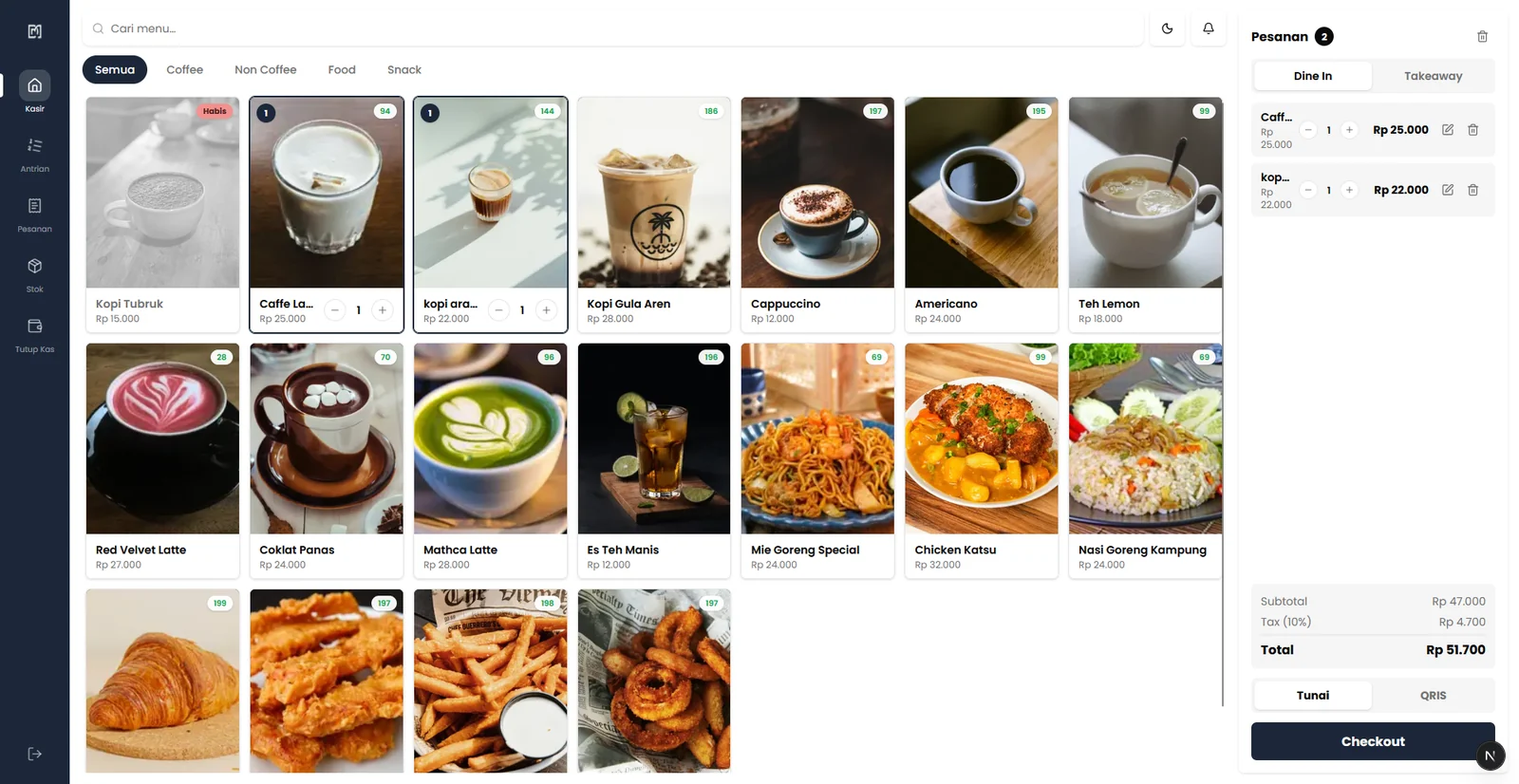
Every menu card shows what''s left and has its own quantity stepper, so the cashier never leaves the grid mid-order. Dine-in and takeaway stay separate because they''re billed and served differently. Tax is 10%, and the order closes with cash or QRIS.
Kitchen queue
Drinks are a checklist the barista ticks off. Kitchen items sit in their own list underneath, so neither station has to read the other''s work.
Stock that knows about open orders
I keep three numbers apart: what''s on hand, what''s already promised to orders still in the queue, and what you can actually sell. Without that split, two cashiers can sell the same last portion within a minute.
Closing the drawer
The cashier counts the drawer and types the amount in. It''s checked against cash orders only, so QRIS never throws the count off, and the difference gets saved with who closed it and an optional note. Thirty closings stay in history, so a shortage can be traced back to a shift.
What the owner sees
Revenue, orders, average ticket and cancellations across 1, 7, 30 or 90 days. The hourly chart is the one that actually gets used. It shows which hours carry the day, and staffing follows from that.
Reports
Any date range, a daily recap, and a download for either daily totals or the per-menu breakdown.
Menu
Price, category, photo, and an on-sale toggle that''s separate from stock. An item can be in stock and still be off the menu.
Table QR
A printable code for every table. A guest scans it, orders from their phone, and it lands in the same queue as a counter order.